Postern · Blog
Why we built Postern: a private gate from your phone to your browser
Your password is on your phone. The login form is on your laptop. Somewhere between the two, you end up squinting at 24 random characters and typing them one at a time. And it isn't only passwords: a sign-in link lands in your phone's email, or a small file is on the wrong device. We built Postern to make that moment private and quick.
The problem we kept running into
Password managers are great when they're installed everywhere. But often they aren't:
- A work laptop where you can't install your password manager.
- A new computer, before anything is set up.
- A shared or borrowed machine, where you don't want to sign in to your whole vault.
- A Wi-Fi password, an API key or a long recovery code that lives in a note on your phone.
The usual workarounds all have a cost. Typing by hand is slow, and a strong password is exactly the kind you mistype. Emailing or messaging it to yourself can leave a copy on someone else's server for a long time. Clipboard sync usually works only between one company's devices, and what's on the clipboard can often be read by other apps.
We wanted something that works with any phone and any browser, leaves nothing behind, and doesn't ask anyone to trust us with what they send.
How it works
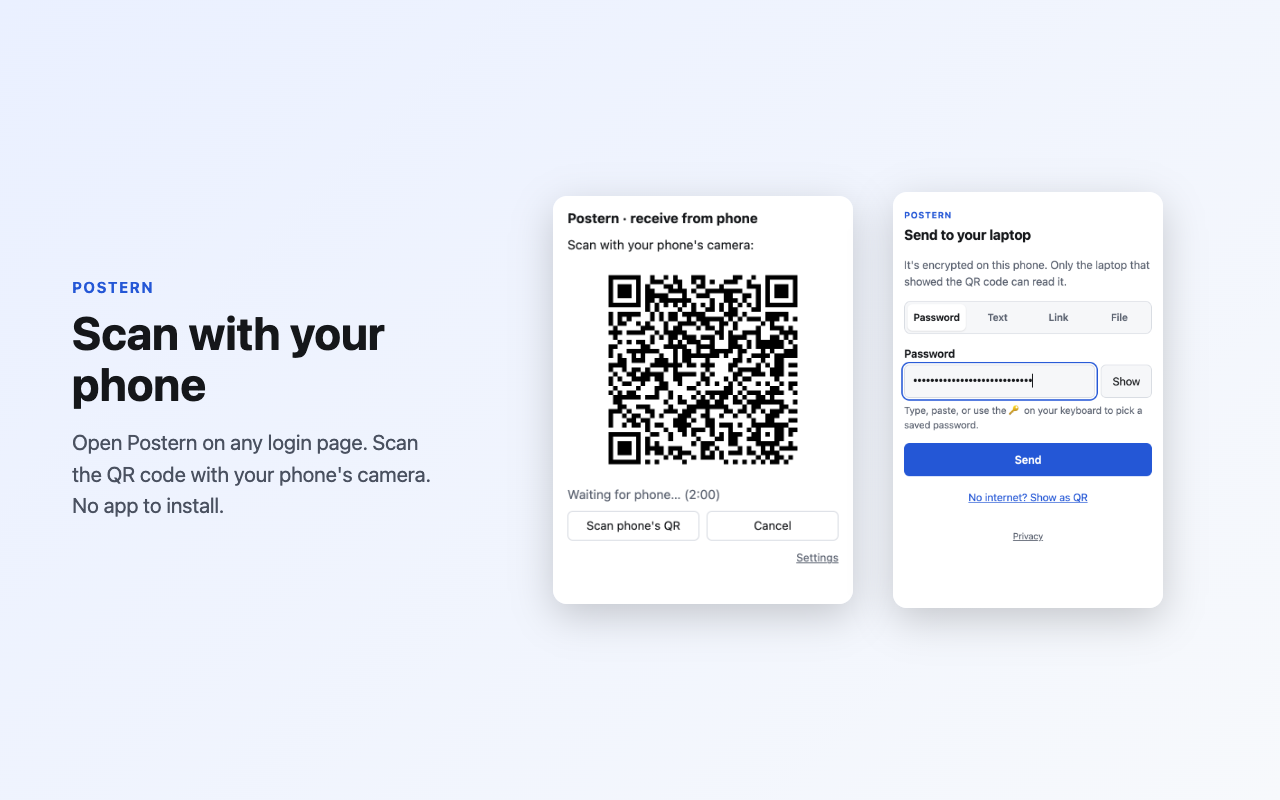
- Add the Postern extension to your browser. It's a one-time install, from the Chrome Web Store for Chrome or from Firefox Add-ons for Firefox. Edge and other Chromium-based browsers can install the Chrome version too. Can't install extensions on this computer? Open postern.dahp.io/receive instead. It works in any browser with nothing to install, but it can't fill fields, so passwords and text are copied instead.
- Open Postern when you need it. Click the Postern icon in the toolbar, right-click the field and choose "Postern: receive from phone", or press Alt+Shift+P (Option+Shift+P on a Mac). It shows a QR code.
- Scan it with your phone's camera. It opens a web page. There's no app to install and no account to create.
- Pick Password, Text, Link or File on the phone, then press Send. It's encrypted on the phone before it goes anywhere.
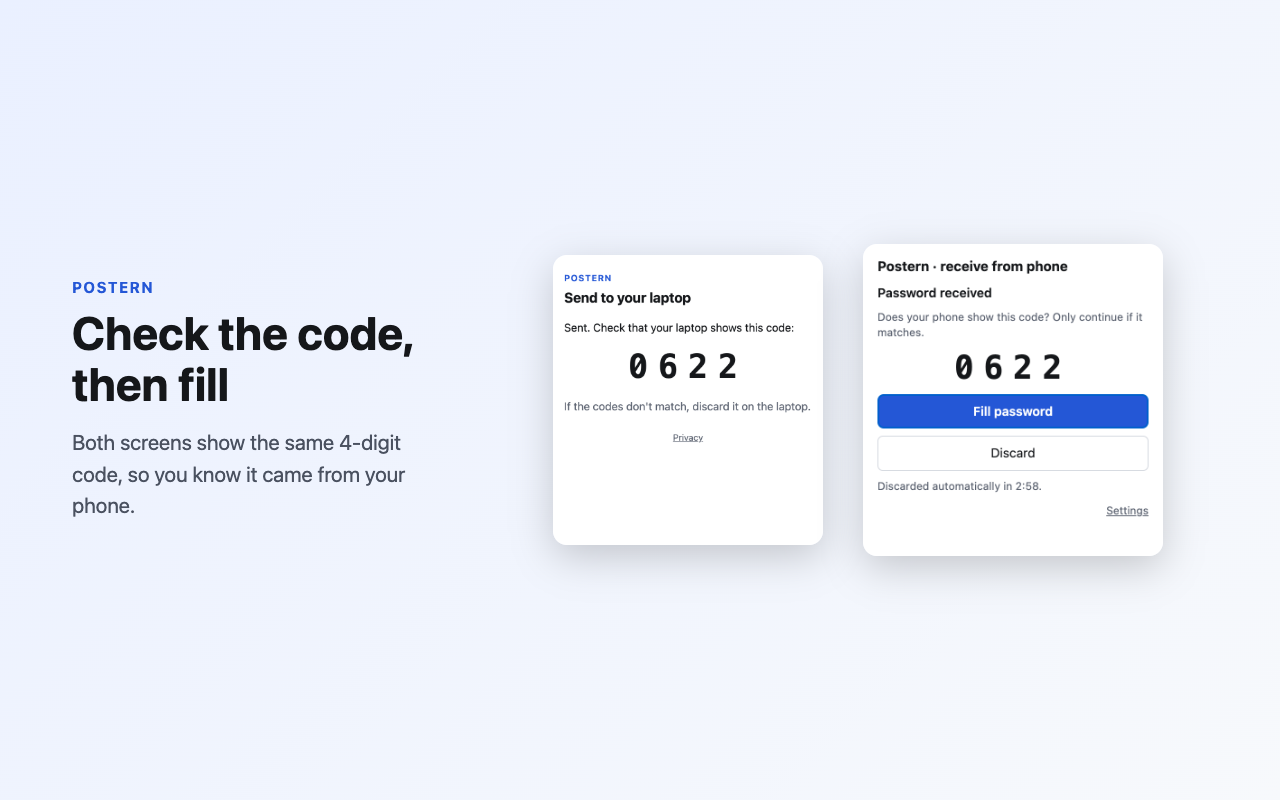
- Check the code. Both screens show the same 4-digit number. If they match, click Fill and the password goes straight into the field. For a link or file, click Open in new tab or Save file instead.
Not just passwords
Passwords started it, but they aren't the only thing stuck on the wrong device. The phone page has four tabs: Password, Text, Link and File. The laptop does the right thing for each one.
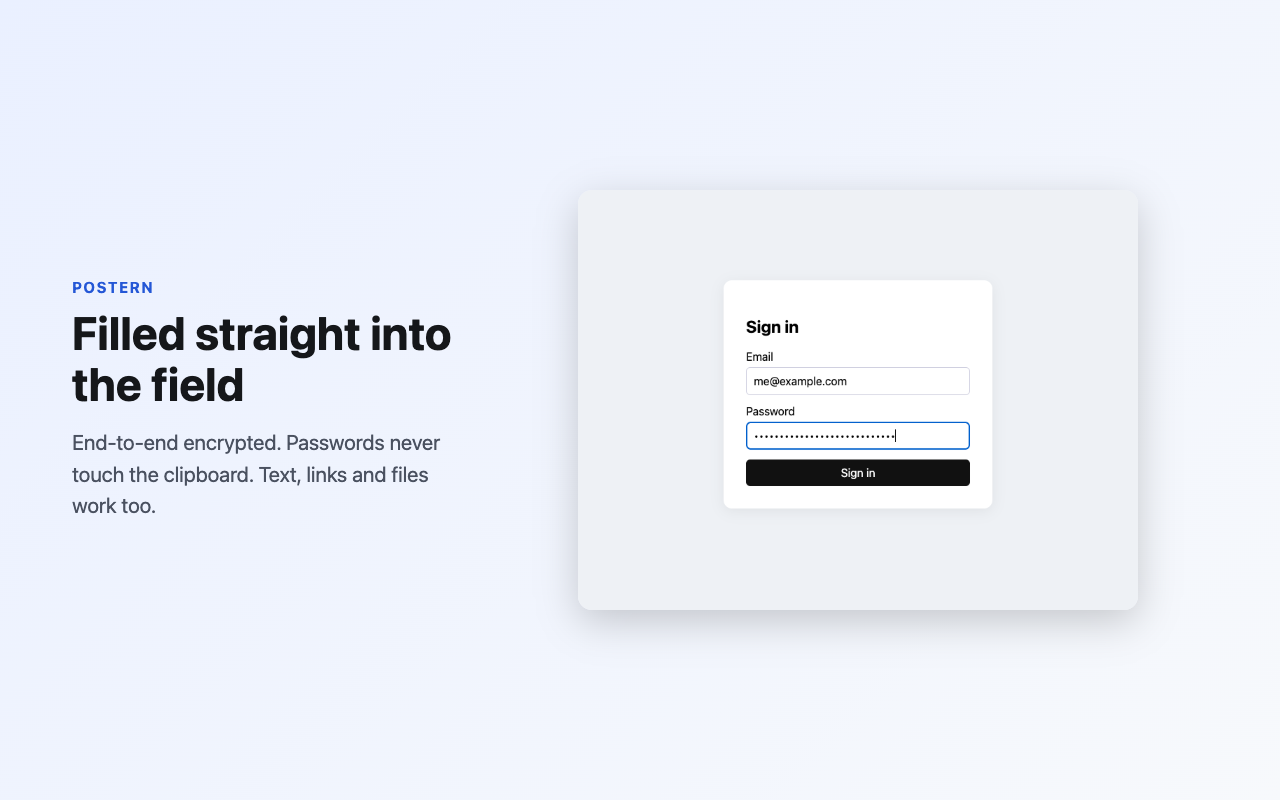
- Password. The extension fills it straight into the field you chose. It isn't shown on screen and never touches the clipboard. (The web receiver can't fill another site's fields, so it copies the password instead.)
- Text. A user ID, a 2FA backup code, an address, a note you wrote on your phone. The laptop shows it, and you can fill it into a field or copy it.
- Link. A password reset link or a one-click sign-in link that arrived in the email on your phone, when the laptop is where you want to be signed in. Or the article you were reading on the train, or a long invite link. Click Open in new tab and it opens on the laptop. You can also fill or copy it.
- File. Anything up to 256 KB, such as a JSON or YAML config, a CSV, a .env file or a small image. Click Save file and it lands in your Downloads folder. Text files show a preview first, and can be filled into a field.
All four go through the same encryption and the same 4-digit check. To the relay, a password, a link and a config file all look the same: a few encrypted bytes.
What makes it private
The design starts from one rule: our server should be unable to read anything, even if it wanted to.
- A one-time key that never reaches us. When you open Postern, your browser makes a fresh key pair. The public key travels in the QR code, after the
#in the link. Browsers never send that part of a link to a server, so the key goes straight from your screen to your phone's camera. - Standard, well-reviewed encryption. The phone encrypts with HPKE (RFC 9180), using X25519, HKDF-SHA256 and AES-256-GCM. Our implementation is tested against the official RFC 9180 test vectors.
- A relay that only passes things on. The server holds the encrypted message in memory until your browser collects it, then deletes it. The message is never written to disk, and unclaimed messages are gone after 2 minutes.
- A check against a photographed QR code. If someone takes a picture of your screen, they could try to send something of their own first. The 4-digit code is derived from the encryption of that one message, so a message from anyone else shows a different code, except by a 1 in 10,000 chance. Only fill when the codes match.
- No accounts, no analytics, no tracking. There's nothing to sign up for. Your IP address is used only to limit how many requests one address can make per minute, and it isn't logged. Our privacy policy has the details.
What Postern doesn't protect against
No tool protects against everything, and we'd rather say so up front:
- A compromised device. If your phone or laptop has malware on it, that malware can see what you type, with or without Postern.
- Someone watching your screen while you type on the phone.
- Fake websites. Postern fills the field you chose. Unlike a password manager, it doesn't check that the site is the real one. Look at the address bar before you fill a password, as you would when typing it.
- Sign-in links on the wrong computer. A password reset or one-click sign-in link signs you in wherever it's opened. Send one only to a computer you trust, and sign out when you're done on a shared one.
- Skipping the code check. The 4-digit code only helps if you compare it.
Open source, from the protocol up
Postern is open source under the Apache 2.0 license. You can read every line of the extension, the phone page and the relay, and the protocol is documented in full with test vectors, so anyone can build a compatible client.
If you'd rather not depend on our server at all, the relay runs on your own machine with Docker. And if you build websites or apps, the @dahp/postern npm package adds a "From phone" button to any field, so your own users can send passwords, text, links and files from their phone the same way.
Found a security problem? Please tell us privately at info@dahp.io rather than in a public issue. Our security policy explains how we handle reports.
Try it
The Postern extension is available for Chrome and Firefox. Edge and other Chromium-based browsers can install the Chrome version from the Chrome Web Store. A Safari version is on the way. In the meantime, the web receiver works in any browser with nothing to install. It can't fill fields, so it copies passwords and text instead. Links and files work the same as in the extension.
We'd love to hear how you use it, and what would make it better. Write to info@dahp.io or open an issue on GitHub.
Chrome and Chrome Web Store are trademarks of Google LLC, Edge of Microsoft Corporation, Firefox of the Mozilla Foundation, and Safari of Apple Inc. Postern is not affiliated with or endorsed by them.